
Buying your first bitcoin can feel like a bigger decision than it really is. You’ve heard the stories, maybe watched the price swing on the news, and now you want to own a small piece yourself. Binance.US is one of the US platforms people often look at for this, mostly because its trading fees are low. The catch is that the app has two ways to buy, and they cost very different amounts. Beginners who don’t know this tend to overpay without noticing.
This guide covers the whole process, from checking whether you can open an account at all to moving your bitcoin somewhere safe afterward. It also shows where the fees hide and gives you a few habits that make buying cheaper.
What Binance.US Actually Is
Binance.US launched in 2019 as a separate American company, split off from the global Binance exchange so it could operate under US rules. It has its own licenses, its own list of coins and its own customer base. If you live in the United States, the global Binance site is not an option for you, and Binance.US is the version built for you.
The platform has had a rocky few years with regulators. The SEC sued Binance, Binance.US and founder Changpeng Zhao in June 2023. For a long stretch after that, the exchange could not handle US dollars, so customers could only move crypto in and out. The SEC dropped the case in May 2025, and dollar deposits and withdrawals through linked bank accounts came back around the same time. By early 2026 the company said it had completed a SOC 2 Type II audit, an independent review of its internal security controls.
Knowing this history helps you judge the platform for yourself. Some users like its low costs. Others are cautious because of its past, and that’s a fair view to hold.
Check Your State Before Anything Else
The first thing to confirm is whether Binance.US serves your state. Service is licensed state by state, and several large states are excluded.
| Availability Status | States and Regions |
|---|---|
| Full service (crypto and USD) | Alabama, Arizona, Arkansas, California, Colorado, Delaware, District of Columbia, Florida, Hawaii, Idaho, Illinois, Indiana, Iowa, Kentucky, Louisiana, Maryland, Massachusetts, Michigan, Minnesota, Mississippi, Missouri, Montana, Nebraska, Nevada, New Hampshire, New Jersey, New Mexico, Oklahoma, Pennsylvania, Puerto Rico, Rhode Island, South Carolina, South Dakota, Tennessee, Utah, Virginia, West Virginia, Wyoming |
| Crypto only (no bank deposits) | Kansas, Wisconsin |
| Not available | Alaska, Connecticut, Georgia, Maine, New York, North Carolina, North Dakota, Ohio, Oregon, Texas, Vermont, Washington, plus American Samoa, Guam, Northern Mariana Islands and the U.S. Virgin Islands |
This list reflects the exchange’s help center as of June 2026, and it changes from time to time. If your state is on the crypto-only list, you can’t buy bitcoin with dollars directly. You would have to buy crypto somewhere else and send it to Binance.US. For most first-time buyers that makes a different platform the simpler choice.
Setting Up Your Account
What You Need Ready
Registration takes about ten minutes if you have your details ready. Binance.US has to verify who you are under federal anti-money-laundering rules, so you can’t stay anonymous.
| Item | Why It’s Needed |
|---|---|
| Email address and phone number | Account login and security codes |
| Legal full name and date of birth | Identity verification |
| Social Security Number | Required for Basic verification and tax reporting |
| Residential address | Confirms you live in a supported state |
| Government-issued photo ID | Needed for Advanced verification and higher limits |
| A clear selfie or face scan | Matches you to your ID during Advanced verification |
Understanding Verification Levels
There are two verification levels. Basic verification asks for your name, birth date, SSN and address, and it covers what most beginners need. Advanced verification adds a photo ID and a face check, and it unlocks higher limits and services such as over-the-counter trading for large orders.
Most accounts are approved within minutes. Some take a few days, and a blurry photo or mismatched details can stretch it to a week or more. Take the ID photo in good light and make sure the address you type matches your documents exactly.
Lock Down Security on Day One
Set up two-factor authentication before you deposit any money. Use an authenticator app instead of text messages, because SIM-swap scams, where someone takes over your phone number, are a real risk. While you’re in the security settings, also turn on:
- An anti-phishing code, so you can tell real Binance.US emails from fake ones
- Withdrawal address allowlisting, so crypto can only go to addresses you’ve approved
- A strong, unique password stored in a password manager
Funding Your Account
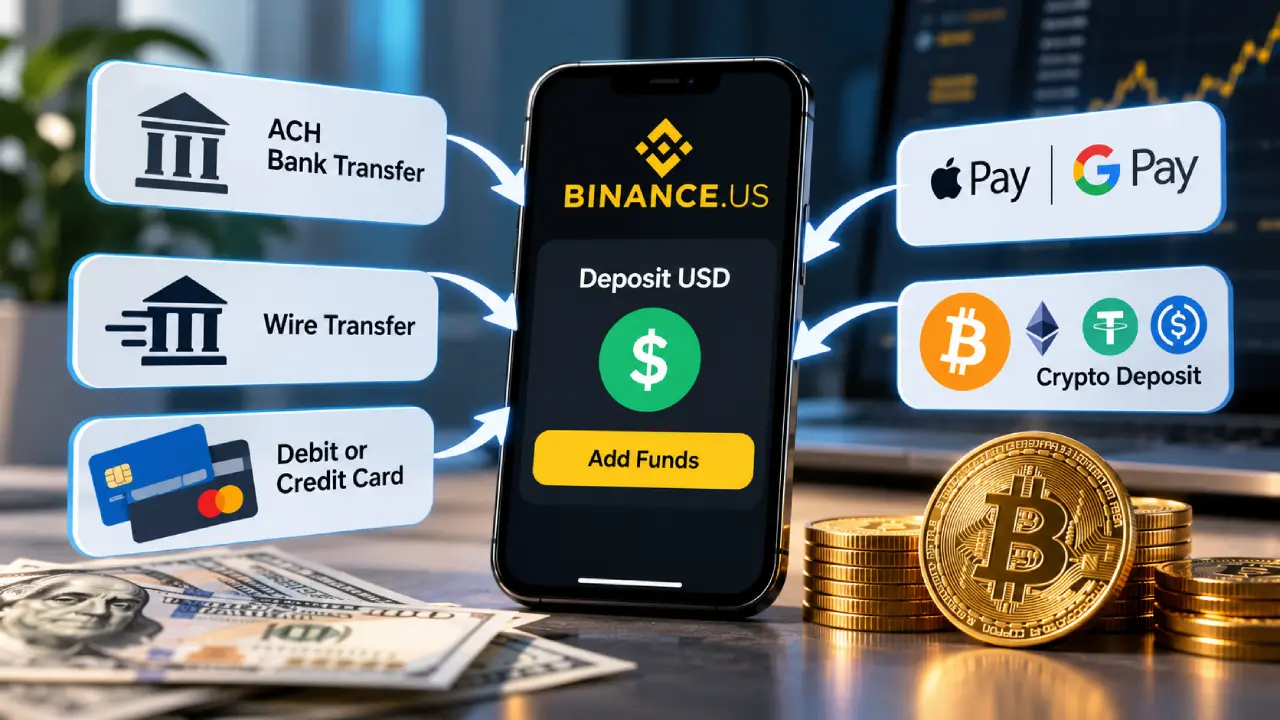
Once you’re verified, you need dollars in the account. Your choice of payment method matters more than most beginners expect.
| Funding Method | Cost to Deposit | Speed | Best For |
|---|---|---|---|
| ACH bank transfer | Free | Usually 1 to 5 business days to settle | Almost everyone, especially regular buyers |
| Domestic wire | Free from Binance.US (your bank may charge) | Often same day | Large one-time purchases |
| Debit or credit card | 3.99% | Instant | Small, urgent buys only |
| Apple Pay or Google Pay | Card-style fee | Instant | Mobile convenience |
| Crypto deposit | Free (network fee applies on sending side) | Depends on network | People who already hold crypto |
On a $500 purchase, paying by card costs about $20 before you’ve bought anything. An ACH transfer costs nothing. If you can wait a few days, link your bank account.
Keep in mind that money from ACH or card deposits can carry a withdrawal hold of up to seven days. You can usually buy bitcoin with it right away, but you may not be able to send that bitcoin off the exchange until the hold clears.
Two Ways to Buy Bitcoin (and Why It Matters)
This is the point most beginners miss. Binance.US gives you two ways to buy, and the price you get depends on which one you use.
The Quick Buy Option
The simple Buy screen works like any shopping app. You pick bitcoin, type a dollar amount, check the preview and confirm. It’s fast and easy to follow.
The cost is a spread. To hold your price steady while you look at the preview, Binance.US builds a markup into the rate it quotes you. You won’t see a separate fee line, but you pay a bit more per bitcoin than the market price. For a first $25 test purchase that’s fine. For regular buying, the difference adds up.
The Advanced Trading Option
Advanced Trading connects you to the exchange’s order book, where buyers and sellers are matched directly. There’s no spread here, only a small trading fee.
| Feature | Quick Buy | Advanced Trading |
|---|---|---|
| Ease of use | Very easy | Moderate learning curve |
| Pricing | Includes a built-in spread | Live market price |
| Maker fee | Not applicable | 0% |
| Taker fee | Not applicable | 0.01% to 0.02% depending on the pair |
| Order types | Market-style only | Market, limit, stop-limit and more |
| Ideal user | First-time testers | Anyone buying regularly |
A maker fee applies when your order waits on the order book, for example a limit order below the current price. A taker fee applies when your order fills immediately against someone else’s. With maker fees at zero, patient buyers can often purchase bitcoin without paying any trading fee at all.
Step-by-Step: Placing a Limit Order for Bitcoin
A limit order is the cheapest way to buy, and it’s easier than it sounds. Here’s how to do it.
Step 1: Open the Trading Screen
Switch from the Basic view to Advanced Trading in the app or on the website. Search for BTC/USD, the pair where you pay in US dollars.
Step 2: Choose “Limit” as Your Order Type
Choose Limit instead of Market. This lets you set the highest price you’re willing to pay.
Step 3: Set Your Price and Amount
Enter a price at or slightly below the current market rate. Then type either how much bitcoin you want or how many dollars you want to spend. Remember that bitcoin can be bought in tiny fractions, so you don’t need to buy a whole coin.
Step 4: Review and Submit
Check the order summary. Make sure the price has the right number of digits, because one extra zero is an expensive mistake. Then submit.
Step 5: Wait for the Fill
If the market reaches your price, the order fills and the bitcoin appears in your wallet balance. If it doesn’t, you can cancel or change the order whenever you like. Unfilled orders cost nothing.
Automating Your Purchases With Recurring Buys
Many people don’t want to watch prices every day. The Recurring Buy feature lets you schedule automatic purchases daily, weekly, twice a month or monthly. This approach is called dollar-cost averaging. You spread your buying over time instead of trying to guess the best moment to buy.
| Schedule | Example Amount | Yearly Total | Good For |
|---|---|---|---|
| Weekly | $25 | $1,300 | Smoothing out price swings |
| Twice a month | $50 | $1,200 | Matching paycheck timing |
| Monthly | $100 | $1,200 | Set-and-forget simplicity |
Recurring buys usually go through the simple purchase flow, so they may include the spread. The convenience can still be worth it, especially if automation is what keeps you consistent.
What Happens After You Buy
Leaving It on the Exchange
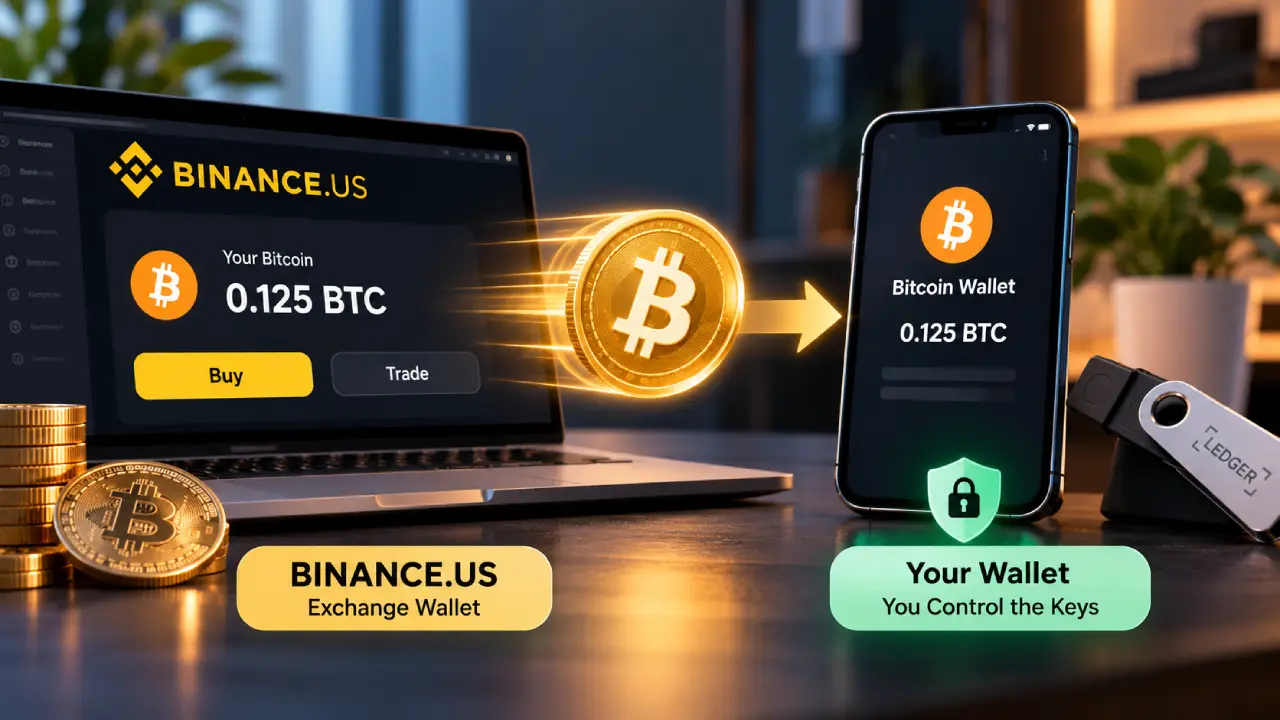
When you buy on Binance.US, your bitcoin sits in a custodial wallet. The exchange holds the private keys for you. That’s convenient, and the company says most customer crypto is kept in offline cold storage. Still, your coins are only as safe as the company and your login. Also note that USD balances may be FDIC-insured through partner banks, but that protection does not cover crypto.
Moving It to Your Own Wallet
Many longtime holders move their bitcoin to a personal wallet so they control the keys. A hardware wallet is the most secure choice for larger amounts. Binance.US charges a withdrawal fee in BTC that changes with network conditions, so moving many small amounts gets expensive. Wait until you’ve built up a meaningful balance and move it in one go.
| Storage Choice | Who Controls the Keys | Convenience | Security Level |
|---|---|---|---|
| Binance.US account | The exchange | High | Depends on platform and your login |
| Mobile software wallet | You | High | Moderate |
| Hardware wallet | You | Lower | High |
Before sending, check the network. Bitcoin should go over the native Bitcoin network to a proper BTC address. Send a small test amount first, confirm it arrives, then send the rest.
Weighing the Pros and Cons
No exchange suits everyone. Here’s a balanced view of where Binance.US does well and where it falls short.
| Strengths | Weaknesses |
|---|---|
| Zero maker fees on Advanced Trading | Unavailable in 16 states and territories |
| Free ACH deposits and withdrawals | Quick Buy includes a hidden spread |
| Low minimum trade size | Up to seven-day holds on bank and card withdrawals |
| Recurring buy tools | Customer support can be slow, often starting with a chatbot |
| Wide range of coins beyond bitcoin | Past regulatory troubles make some users cautious |
| Tax exports in CSV and PDF formats | No margin or futures trading |
Common Beginner Mistakes to Avoid
Most first-time mistakes are about habits, not technology. Watch out for these:
- Paying by card out of impatience. A few days of waiting for ACH can save you almost 4%.
- Always using Quick Buy. It’s fine for a first test, but switch to limit orders once you’re comfortable.
- Skipping two-factor authentication. Accounts without it are the easiest ones to break into.
- Investing money you’ll need soon. Bitcoin can drop sharply in a matter of weeks.
- Ignoring taxes. In the US, selling, swapping or spending crypto can be a taxable event. Keep your records and download your transaction history every year.
- Trusting unsolicited messages. Binance.US support won’t ask for your password or 2FA codes, and it won’t ask you to send crypto to “verify” your account.
Frequently Asked Questions
Can I buy less than one bitcoin?
Yes. Bitcoin divides into 100 million units called satoshis, and Binance.US lets you buy with just a few dollars. Most beginners start with small fractional amounts.
How long does it take to buy bitcoin on Binance.US?
If your account is verified and funded, the purchase itself takes seconds. The slow parts are usually verification and the ACH transfer settling, which together can take a few days.
Is Binance.US the same as Binance?
No. They share a brand, but Binance.US is a separate US company with its own rules, coin listings and state licenses. US residents can’t use the global Binance platform.
Do I have to pay taxes when I buy bitcoin?
Buying bitcoin with dollars is generally not taxable. Selling it, trading it for another coin or spending it usually is. A tax professional can help with your specific situation.
What if my state isn’t supported?
You’ll need a different exchange that’s licensed where you live. Binance.US says some unsupported states are waiting on regulatory approval, so it’s worth checking back later.
The Takeaway
Binance.US can be a very cheap place to buy bitcoin, but only if you use it the right way. Fund your account by bank transfer, move from Quick Buy to limit orders once you feel ready, turn on strong security from the first day, and decide early where you’ll store your coins for the long run. Start with an amount small enough that a sharp price drop won’t worry you, and learn how the platform works before you commit more.
This article is for educational purposes only and is not financial advice. Crypto prices are volatile, so do your own research before investing.
